Sign in with your company account.
Connect your identity provider with OIDC single sign-on. Keep users and groups in sync with SCIM.
Explore single sign-onOPEN-SOURCE BUSINESS INTELLIGENCE
Define your business metrics once. Build dashboards and ask questions through an AI assistant, using the same metric definitions and access rules.
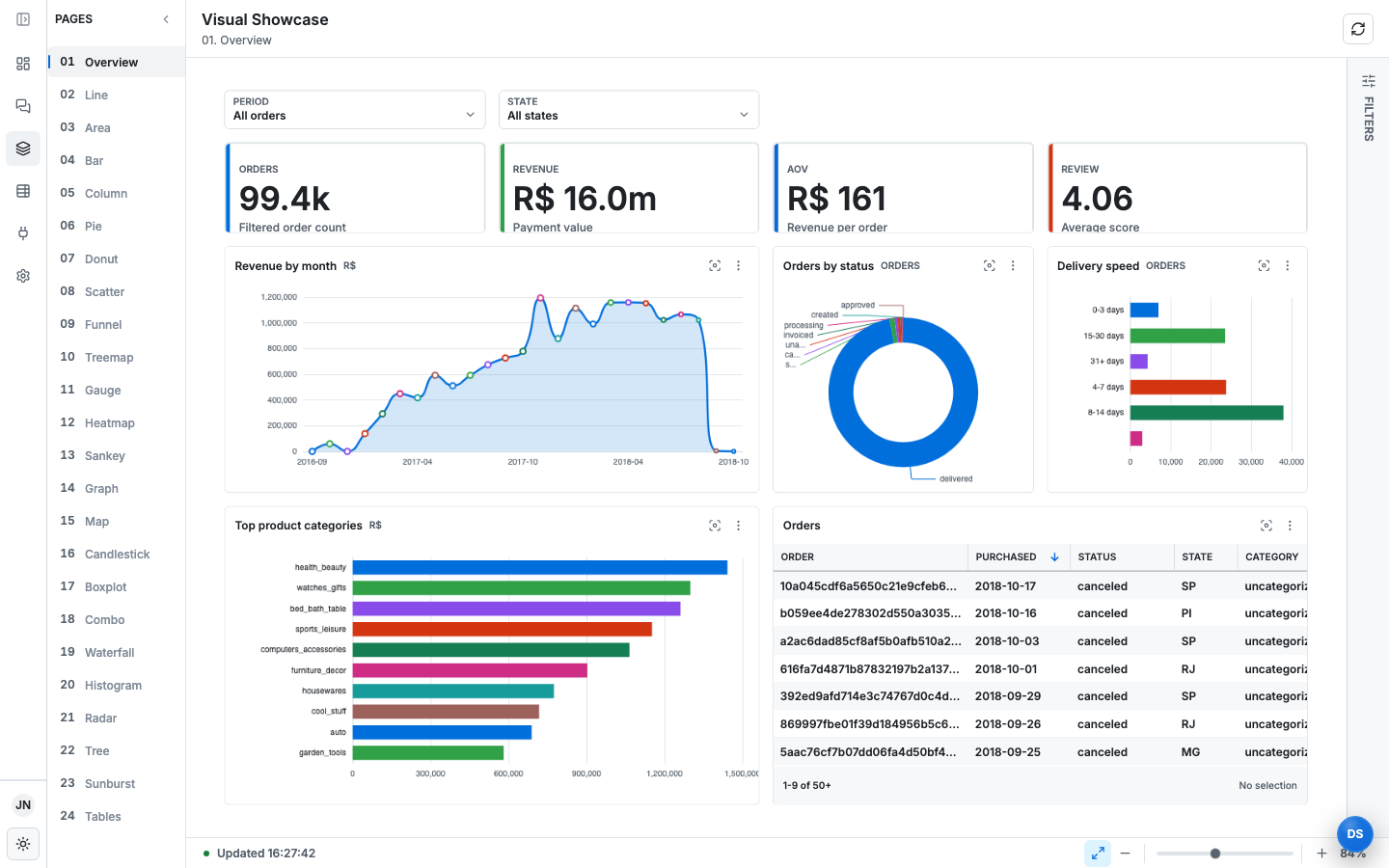
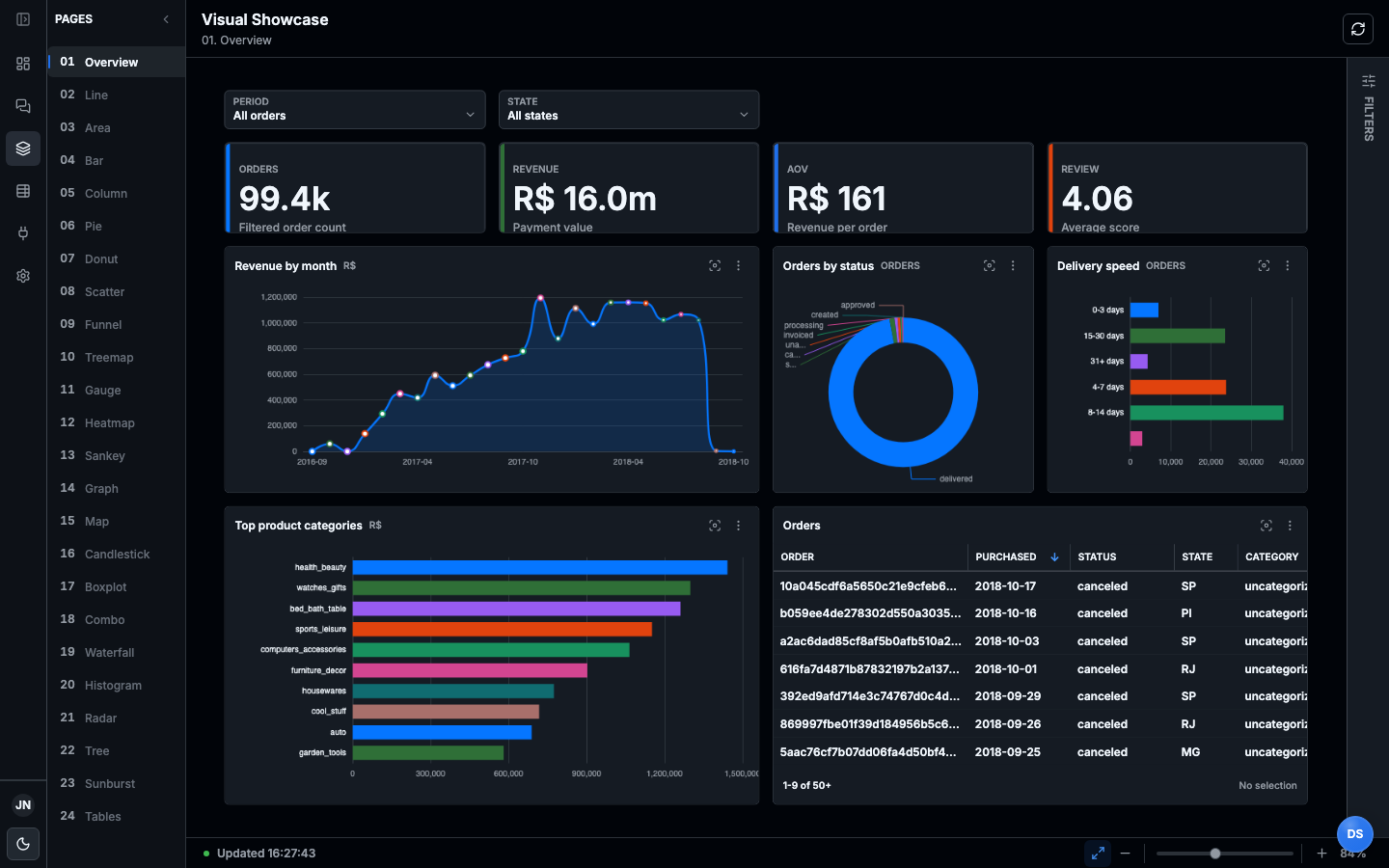
Your metrics and dashboards capture how your business works. You should be able to understand that logic, build on it, and choose where it runs.
We’re building LeapView so the full BI product—including governance, security, and AI integrations—remains open source. Analytics are defined in code, with open interfaces and the option to host it yourself.
Our goal is to keep you free to choose where it runs, who operates it, and which analytics tools you use as your business evolves.
We want you to stay because LeapView keeps being useful.
Start with PostgreSQL, Parquet files in S3, or an Excel spreadsheet. Use that data to define your metrics and build dashboards.
Connect your dataKeep connections, transformations, metrics, and dashboards in version control. Review changes with your team and reuse metric definitions across dashboards.
01 / CONNECTConnect to your data.
apiVersion: leapview.dev/v1
kind: Connection
metadata:
  id: connection:olist
  name: olist
  displayName: Olist CSV files
spec:
  type: managed
  defaults:
    csv:
      header: true
apiVersion: leapview.dev/v1
kind: Source
metadata:
  id: source:olist.payments
  name: olist.payments
  displayName: Payments
spec:
  connection: olist
  location:
    type: path
    path: olist_order_payments_dataset.csv
    format: csv
  schema:
    mode: compatible
  fields:
    - {name: order_id, datatype: String, description: Order identifier for the payment.}
    - {name: payment_value, datatype: Float, description: Payment amount for the transaction.}
apiVersion: leapview.dev/v1
kind: Model
metadata:
  id: model:sales_orders
  name: sales_orders
  displayName: Sales Orders
  description: Order-grain sales table with revenue, category, status, and customer.
spec:
  fields:
    - name: order_id
      datatype: String
      label: Order ID
    - name: customer_id
      datatype: String
      label: Customer ID
    - name: purchase_month
      datatype: String
      label: Purchase month
    - name: purchase_date
      datatype: Date
      label: Purchase date
    - name: purchase_timestamp
      datatype: DateTime
      label: Purchase timestamp
    - name: status
      datatype: String
      label: Status
    - name: category
      datatype: String
      label: Category
    - name: revenue
      datatype: Decimal
      label: Revenue
  definition:
    type: sql
    sql: |
      WITH revenue AS (
        SELECT order_id, CAST(SUM(try_cast(payment_value AS DECIMAL(38,2))) AS DECIMAL(38,2)) AS revenue
        FROM source."olist.payments"
        GROUP BY order_id
      ),
      category AS (
        SELECT
          oi.order_id,
          MIN(COALESCE(t.product_category_name_english, p.product_category_name, 'uncategorized')) AS category
        FROM source."olist.order_items" oi
        LEFT JOIN source."olist.products" p ON p.product_id = oi.product_id
        LEFT JOIN source."olist.translations" t ON t.product_category_name = p.product_category_name
        GROUP BY oi.order_id
      )
      SELECT
        o.order_id,
        o.customer_id,
        CAST(o.order_purchase_timestamp AS TIMESTAMP) AS purchase_timestamp,
        CAST(o.order_purchase_timestamp AS DATE) AS purchase_date,
        strftime(CAST(o.order_purchase_timestamp AS TIMESTAMP), '%Y-%m') AS purchase_month,
        o.order_status AS status,
        COALESCE(category.category, 'uncategorized') AS category,
        CAST(round(COALESCE(revenue.revenue, CAST(0 AS DECIMAL(38,2))), 2) AS DECIMAL(38,2)) AS revenue
      FROM source."olist.orders" o
      LEFT JOIN revenue ON revenue.order_id = o.order_id
      LEFT JOIN category ON category.order_id = o.order_id
  entities:
    - name: order
      type: primary
      fields:
      - order_id
    - name: customer
      type: foreign
      fields:
      - customer_id
  grain:
    entity: order
apiVersion: leapview.dev/v1
kind: SemanticModel
metadata:
  id: semantic-model:sales
  name: sales
  displayName: Sales Semantic Model
spec:
  datasets:
    - name: sales_orders
      model: sales_orders
      defaultTimeDimension: purchase_date
      metrics:
        - name: order_count
          type: simple
          empty: zero
          label: Orders
          agg: count_distinct
          field: order_id
        - name: revenue
          type: simple
          empty: zero
          label: Revenue
          format: currency
          agg: sum
      dimensions:
        - name: purchase_date
          datatype: Date
          time:
            nativeGrain: day
            grains:
              - day
              - week
              - month
            calendar: iso8601
        - name: category
          datatype: String
    - name: sales_customers
      model: sales_customers
  relationships:
    - name: orders_customers
      from:
        dataset: sales_orders
        entity: customer
      to:
        dataset: sales_customers
        entity: customer
  dimensions:
    - name: state
      datatype: String
      bindings:
        - dataset: sales_orders
          field: sales_customers.state
          path:
            - orders_customers
  metrics:
    - name: aov
      type: ratio
      numerator: revenue
      denominator: order_count
      label: Average order value
      format: currency
apiVersion: leapview.dev/v1
kind: Pipeline
metadata:
  id: pipeline:sales-refresh
  name: sales-refresh
spec:
  selection:
    semanticModel: sales
apiVersion: leapview.dev/v1
kind: Dashboard
metadata:
  id: dashboard:executive-sales
  name: executive-sales
  displayName: Executive Sales
  description: Revenue, AOV, category, and order volume overview.
  owner: Analytics
  tags:
  - sales
  - revenue
spec:
  appearance:
    icon: chart-no-axes-combined
    color: purple
  semanticModel: sales
  filters:
  - id: purchase_date
    label: Purchase date
    dimension: purchase_date
    control:
      type: dateRange
    urlParameter: period
    operators: []
  - id: state
    label: State
    dimension: state
    control:
      type: multiSelect
      maxSelectedValues: 50
      options:
        type: distinct
        dataset: sales_orders
        limit: 50
    operators:
    - in
    - notIn
    urlParameter: state
  - id: category
    label: Category
    dimension: category
    control:
      type: text
    operators:
    - contains
    - equals
    - startsWith
    - notContains
    urlParameter: category
  visuals:
    - id: revenue_kpi
      type: kpi
      title: Revenue
      query:
        type: aggregate
        dimensions: []
        metrics:
        - revenue
      presentation:
        type: kpi
        note: Payment value
        tone: success
    - id: aov_kpi
      type: kpi
      title: Average order value
      query:
        type: aggregate
        dimensions: []
        metrics:
        - aov
      presentation:
        type: kpi
        note: Revenue per order
        tone: warning
    - id: total_orders
      type: kpi
      title: Total orders
      query:
        type: aggregate
        dimensions: []
        metrics:
        - order_count
      presentation:
        type: kpi
        note: Filtered order count
        tone: ink
    - id: revenue_by_month
      type: area
      query:
        type: aggregate
        dimensions:
        - dimension: purchase_date
          grain: month
          alias: purchase_month
        metrics:
        - revenue
        sort:
        - field: purchase_month
          direction: asc
        limit: 30
      title: Revenue by month
      presentation:
        type: cartesian
    - id: category_revenue
      type: bar
      query:
        type: aggregate
        dimensions:
        - category
        metrics:
        - revenue
        sort:
        - field: revenue
          direction: desc
        limit: 10
      title: Top categories by revenue
      presentation:
        type: cartesian
    - id: orders_table
      type: table
      query:
        type: records
        dataset: sales_orders
        fields:
        - order_id
        - purchase_date
        - status
        - category
        - revenue
      title: Orders
      presentation:
        type: table
        rowHeight: 32
        showHeader: true
        striped: false
  pages:
  - id: overview
    title: Overview
    components:
    - id: purchase-date-filter
      placement:
        column: 1
        row: 1
        columnSpan: 4
        rowSpan: 2
      type: filter
      filter: purchase_date
    - id: state-filter
      placement:
        column: 5
        row: 1
        columnSpan: 4
        rowSpan: 2
      type: filter
      filter: state
    - id: category-filter
      placement:
        column: 9
        row: 1
        columnSpan: 4
        rowSpan: 2
      type: filter
      filter: category
    - id: total-orders
      placement:
        column: 1
        row: 3
        columnSpan: 4
        rowSpan: 3
      type: visual
      visual: total_orders
    - id: revenue
      placement:
        column: 5
        row: 3
        columnSpan: 4
        rowSpan: 3
      type: visual
      visual: revenue_kpi
    - id: aov
      placement:
        column: 9
        row: 3
        columnSpan: 4
        rowSpan: 3
      type: visual
      visual: aov_kpi
    - id: revenue-trend
      placement:
        column: 1
        row: 6
        columnSpan: 12
        rowSpan: 6
      type: visual
      visual: revenue_by_month
    - id: categories
      placement:
        column: 1
        row: 12
        columnSpan: 12
        rowSpan: 6
      type: visual
      visual: category_revenue
    - id: orders_table
      placement:
        column: 1
        row: 18
        columnSpan: 12
        rowSpan: 8
      type: visual
      visual: orders_table
  layout:
    columns: 12
    rowHeight: 48
    gap: 16
    padding: 16
apiVersion: leapview.dev/v1
kind: Connection
metadata:
  id: connection:olist
  name: olist
  displayName: Olist CSV files
spec:
  type: managed
  defaults:
    csv:
      header: true
Use your company’s existing sign-in, decide who can query which data, and record security changes and query activity.
Connect your identity provider with OIDC single sign-on. Keep users and groups in sync with SCIM.
Explore single sign-onSet roles and permissions, filter rows, and mask sensitive columns. Apply access policies to queries from dashboards, APIs, and AI agents.
Explore access controlsReview security and administrative changes. See which user or service ran a governed query and which resource it used.
Explore audit logsDashboards, AI agents, and APIs query a common set of metrics and dimensions defined in semantic models. DuckDB runs the queries. PostgreSQL stores application state, while DuckLake manages analytical snapshots in Parquet.
INTERFACES
Explore metrics through interactive charts and tables.
INTERFACES
Query business data using the same metric definitions.
SERVING
Shared metrics and dimensions with access policies.
COMPUTE
Execute analytical queries and data refreshes.
STORAGE & STATE
Store application state, project records, and access configuration.
STORAGE & STATE
Manage analytical snapshots in Parquet, with catalog metadata in PostgreSQL.
Choose where LeapView runs, which AI provider it uses, and how you share metric definitions with other tools.
Host LeapView yourself using the public Docker image and Compose package. The software is available under Apache License 2.0.
Explore self-hostingConnect built-in chat to an OpenAI-compatible endpoint, or use an external AI assistant through MCP. Both access analytics through LeapView’s tools and access policies.
Explore AI integrationsMaintain readable, version-controlled analytics definitions. Import and export semantic models with Apache Ossie, and connect other tools through documented APIs and MCP.
Explore model import and exportTell us what you’re building, ask a question, or contribute to the project.